

Drivado | APP
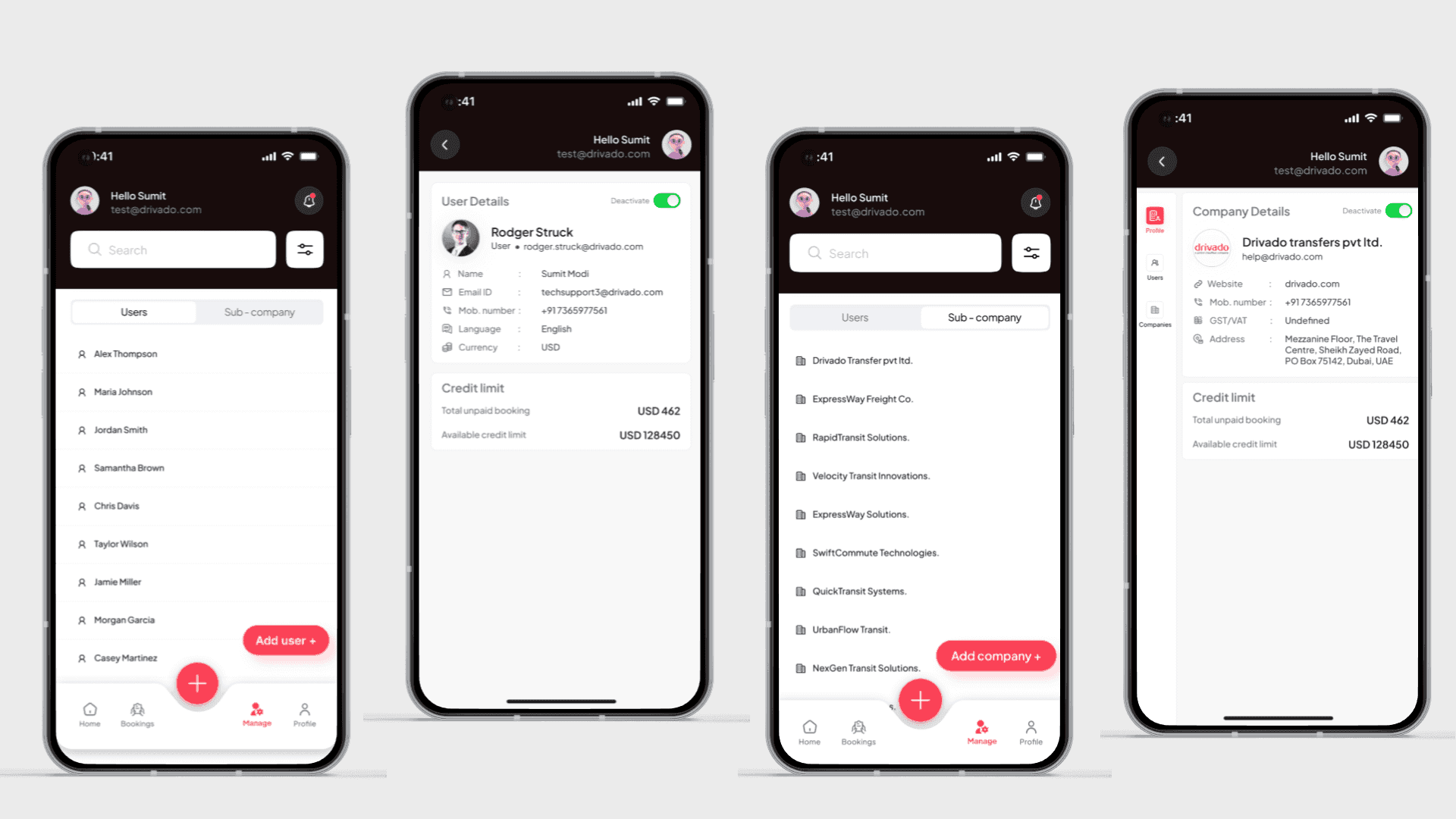
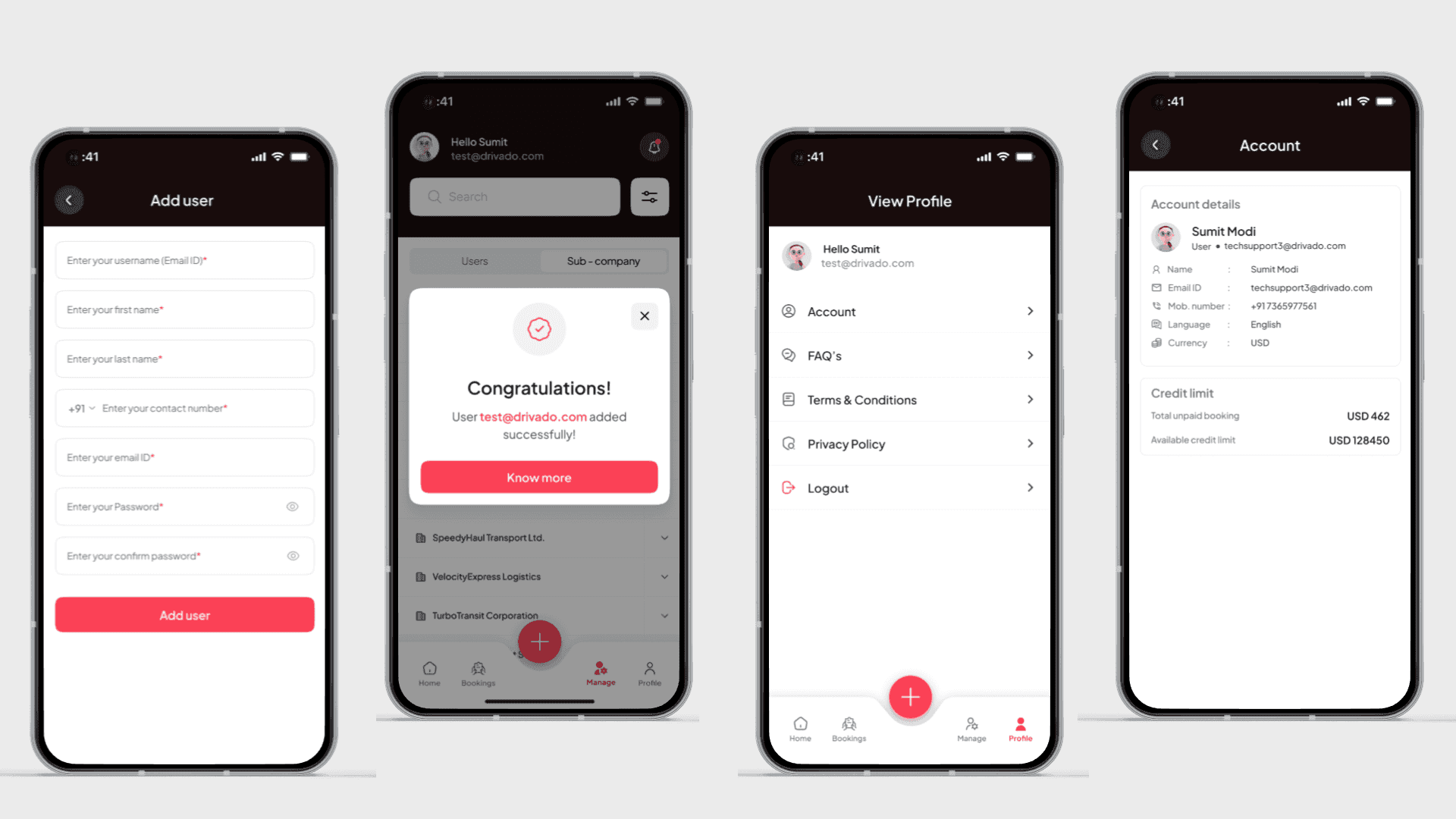
It is a smart mobility platform designed to make premium travel easier, faster, and more convenient. The mobile app allows users to book rides, track drivers in real time, manage trips seamlessly, and enjoy a smooth transportation experience through an intuitive and user-friendly interface.
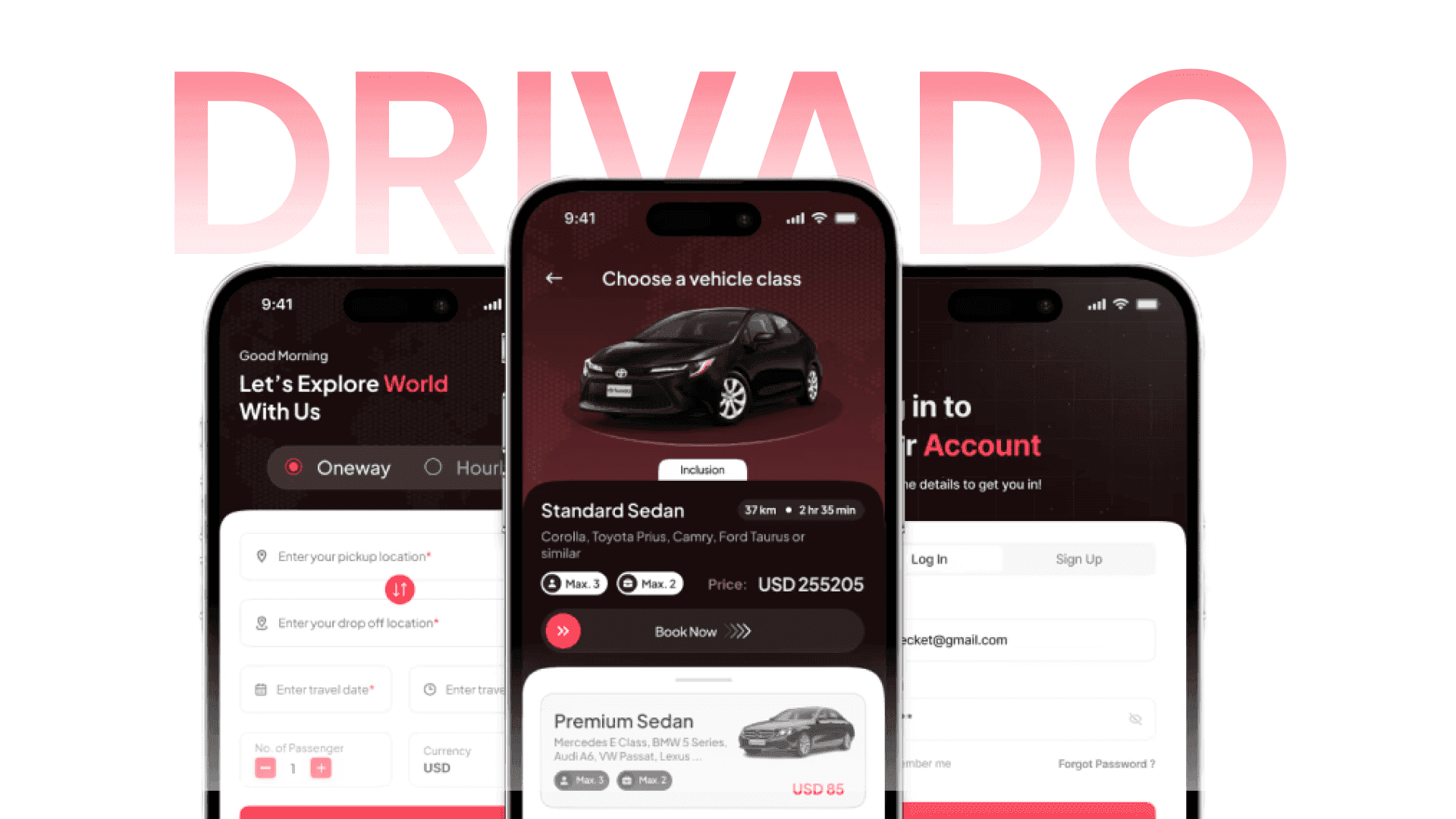
Drivado Mobile App – Chauffeur Booking & Management Platform
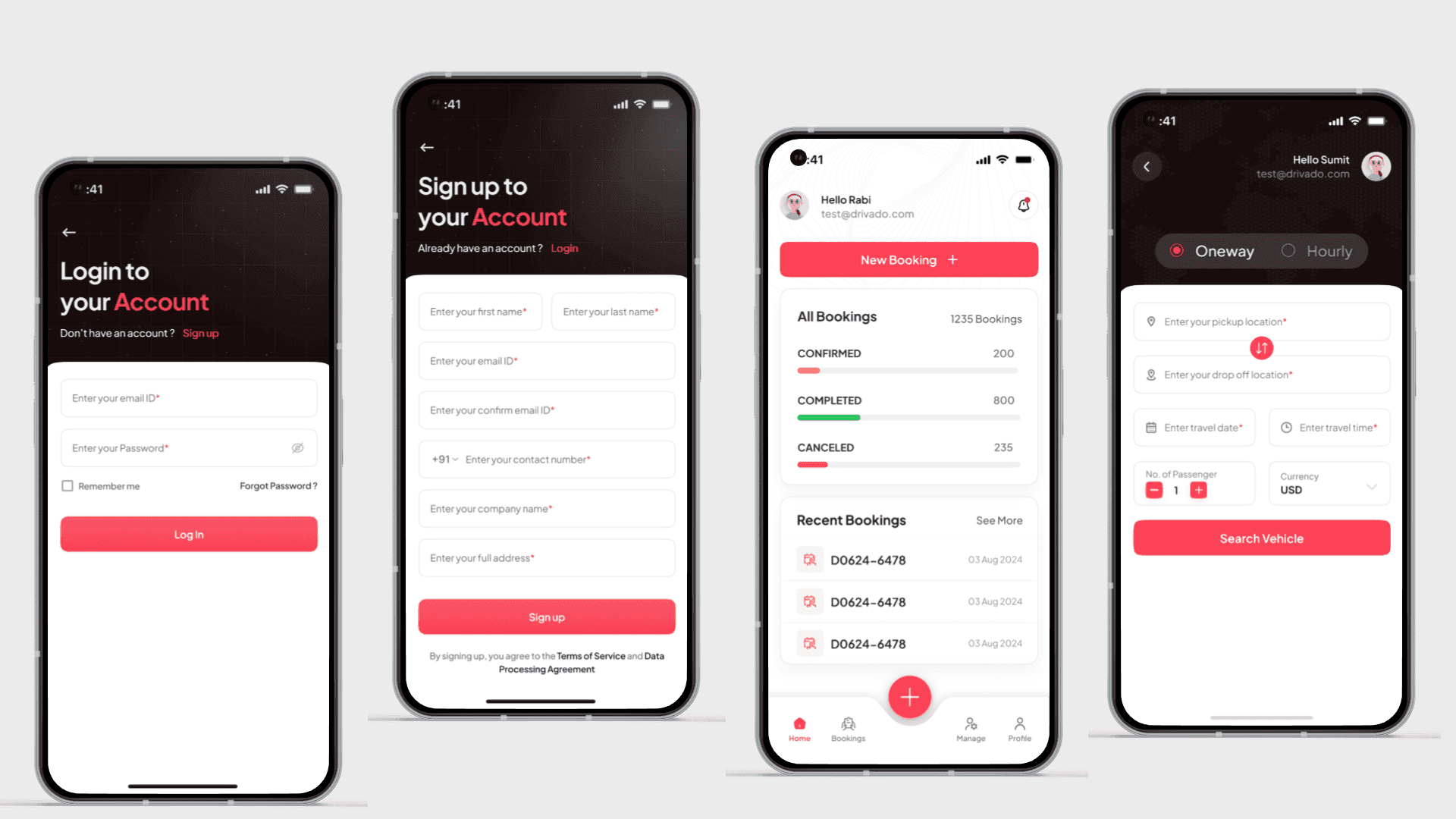
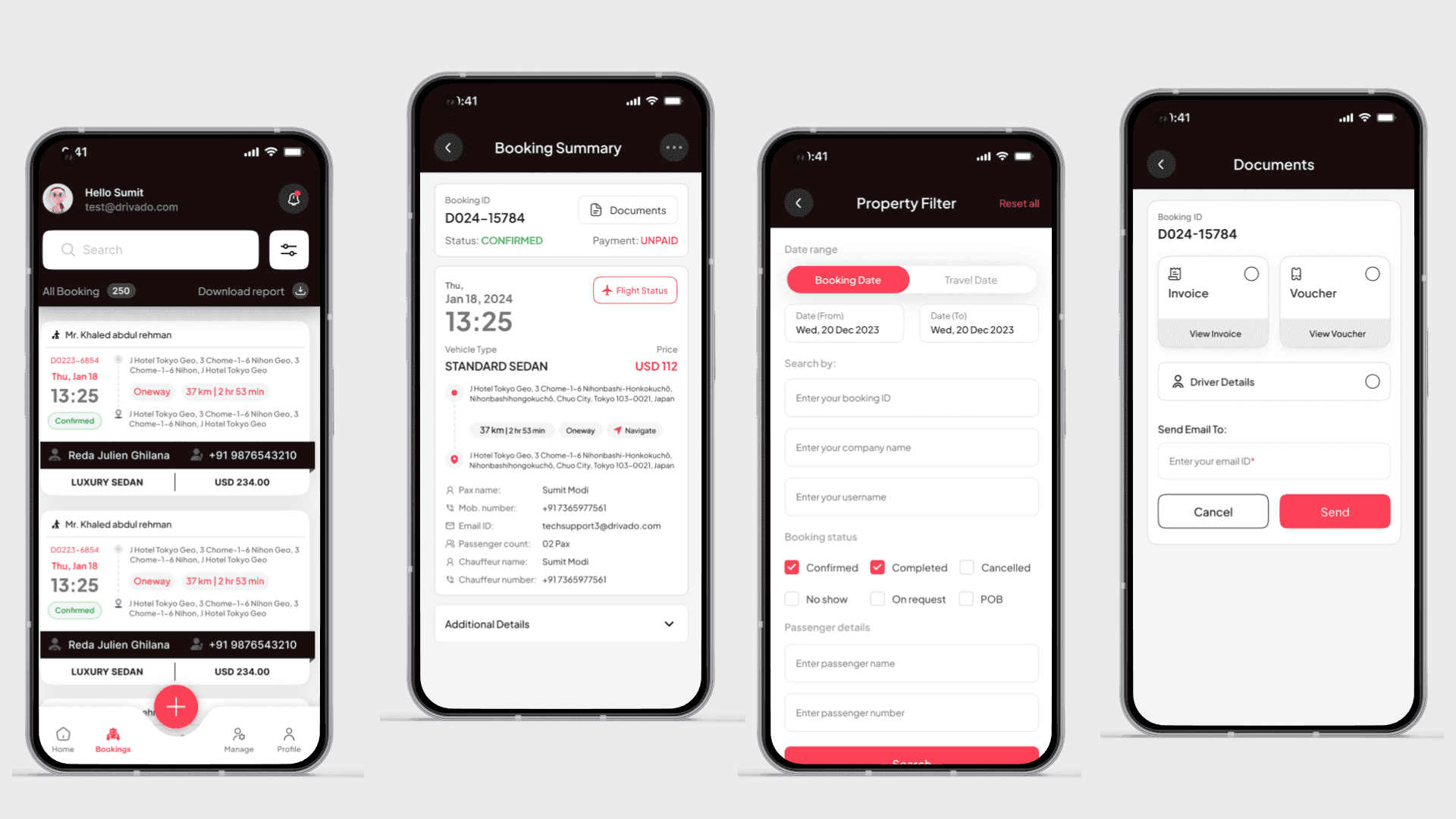
To create a seamless mobile experience that allows users to easily book, manage, and track chauffeur services while enabling businesses to handle bookings, users, and operations efficiently. The goal is to deliver a fast, intuitive, and scalable solution with transparent pricing, real-time updates, and a premium user experience.
The Core Problem
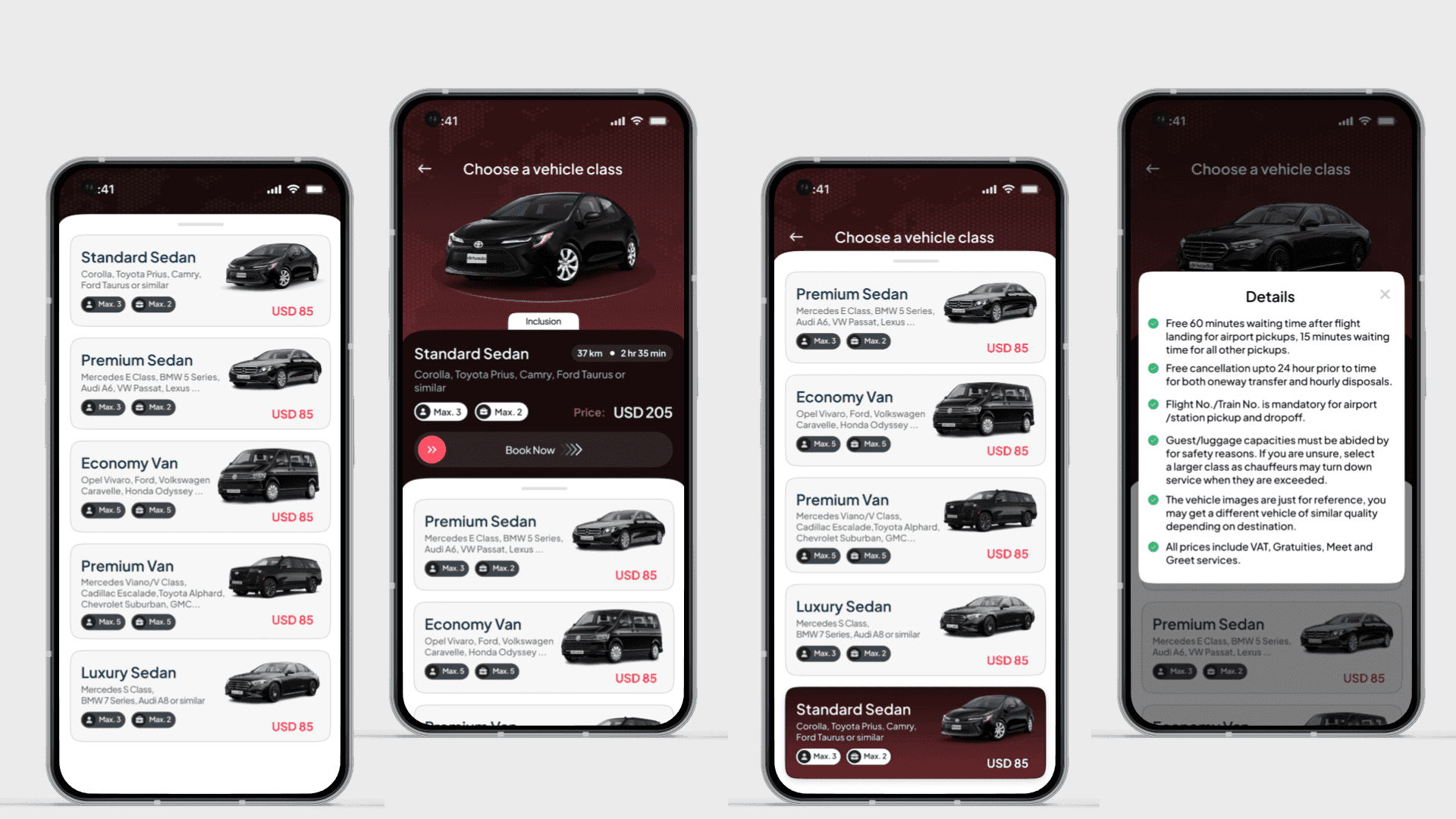
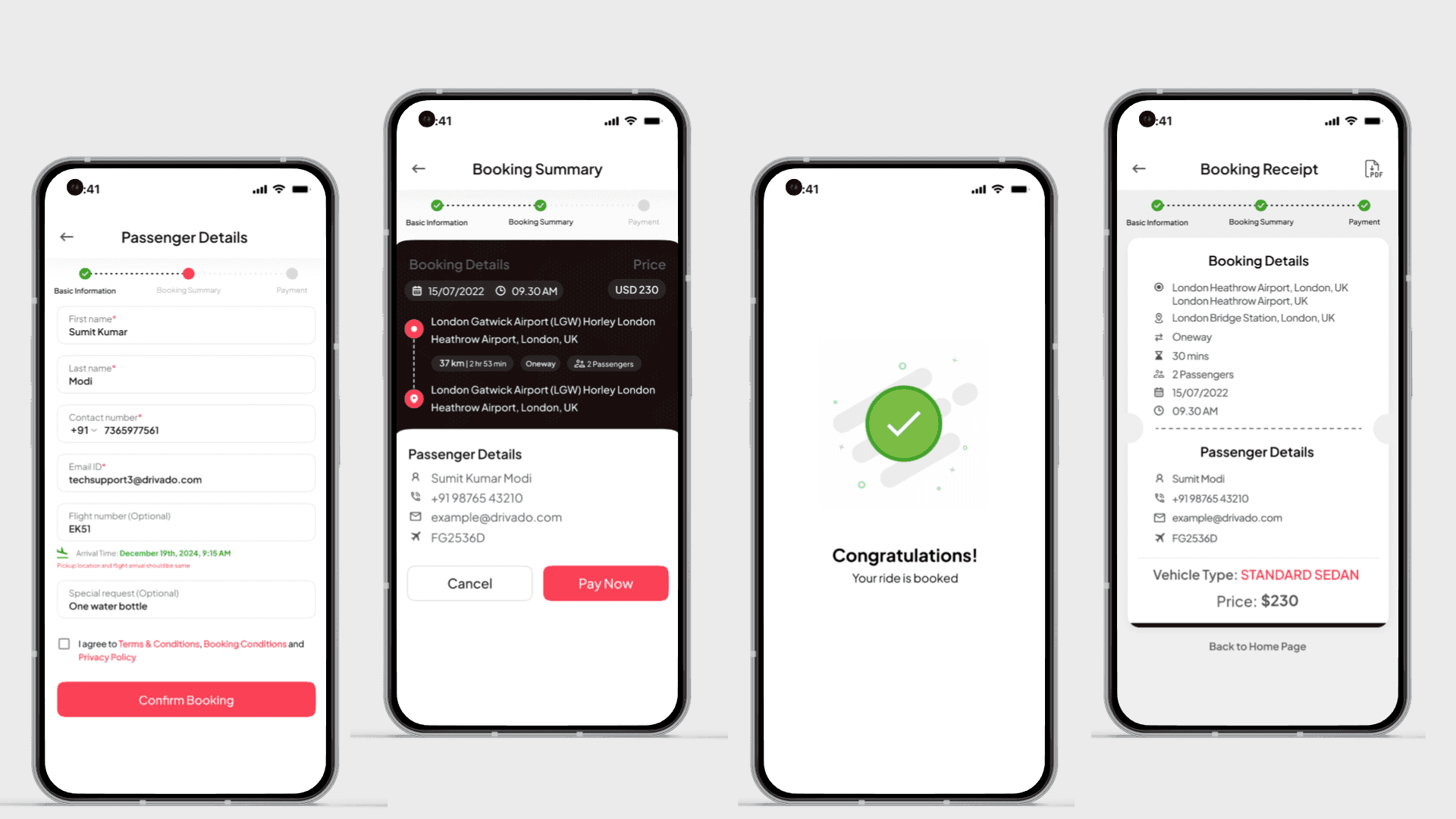
Designing a smooth journey from search → vehicle selection → booking → payment was challenging, as it required minimizing steps while keeping all essential information visible.
Each screen needed to show pricing, policies, vehicle details, and trip data without overwhelming the user or cluttering the interface.
Tackling the Problem
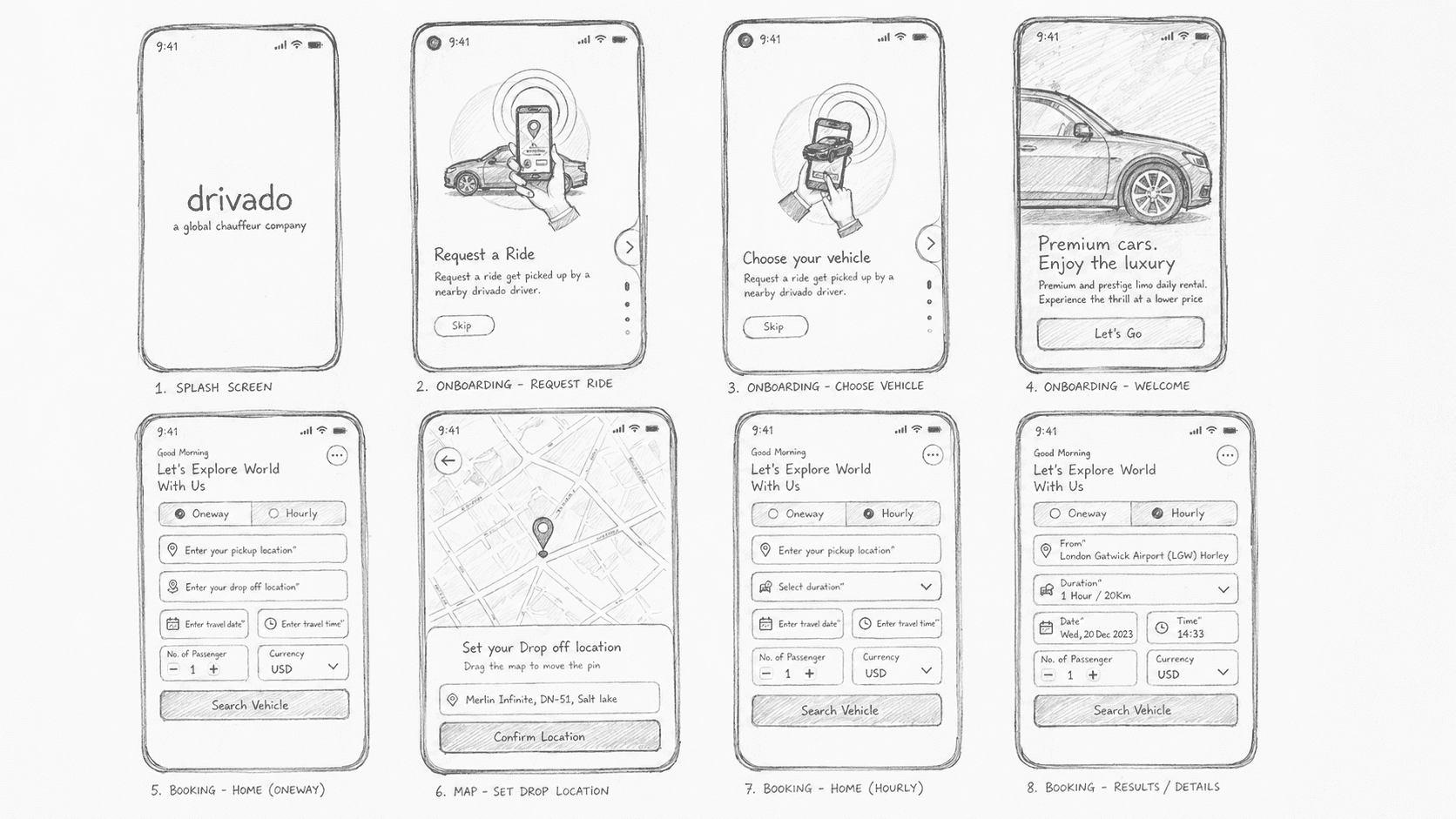
The journey was broken into clear steps (Search → Select → Details → Confirm) to reduce cognitive load and guide users smoothly through the process.
Content was prioritized using visual hierarchy—key details like price and CTA buttons were highlighted, while secondary information was organized in sections and popups.
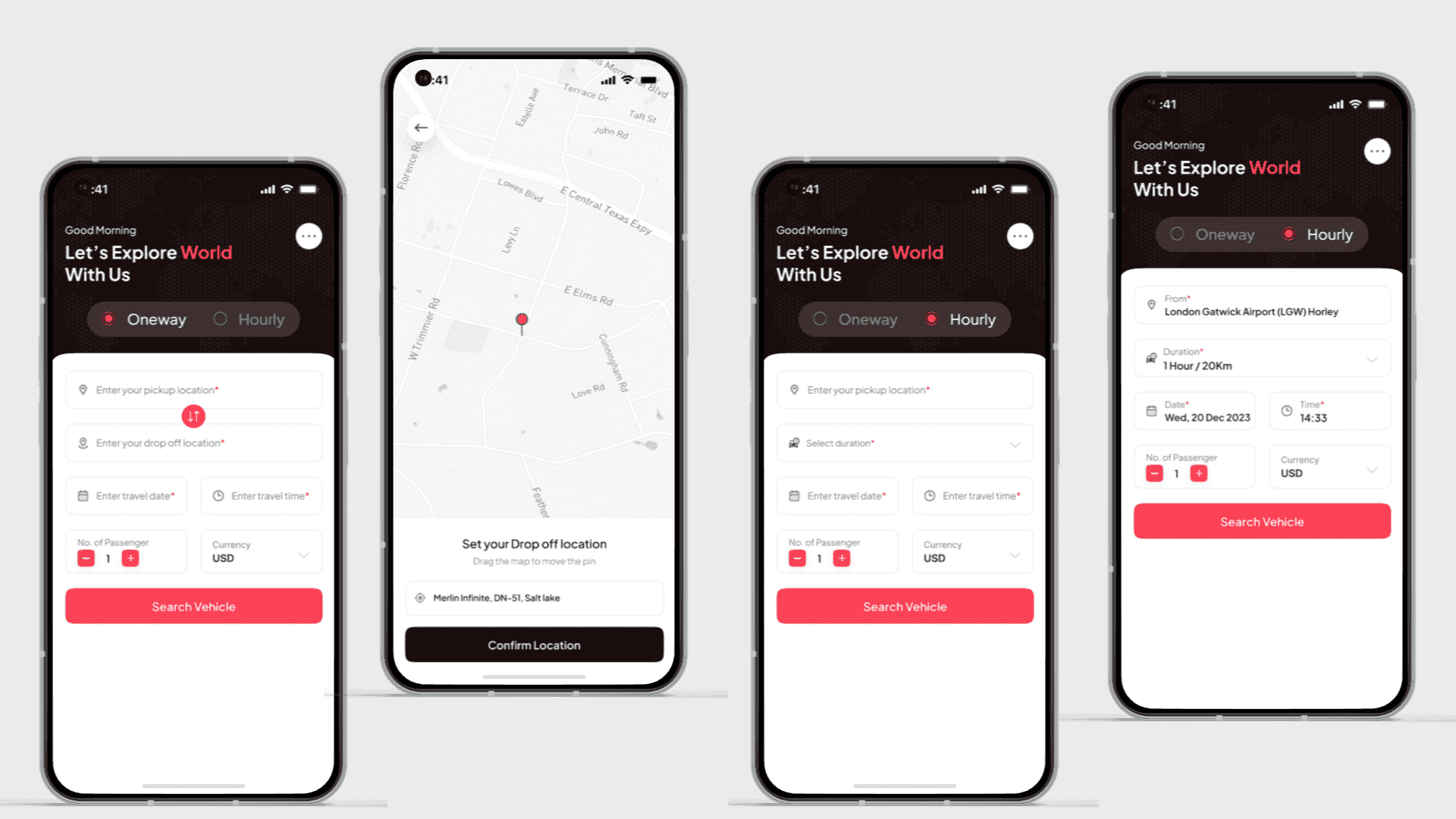
Map-based location selection was simplified with draggable pins and clear confirmation actions to ensure accuracy without confusion.
The Solution



Want to work with us?
Clarity drives every design decision — paired with bold ideas and intent. We love working on projects that move people forward.
Let’s start with a quick form to understand what you need.